v0.18.2 · macOS, Linux and Windows

The 18 MB code editor, drawn on the GPU.

Mayoi is a native editor written in Go, for developers who want their editor to open before they finish blinking. Git, Vim mode, a Ghostty terminal and Remote SSH are built in. No webview, no Electron.

Free and open source under the MIT license. Signed and notarized on macOS.

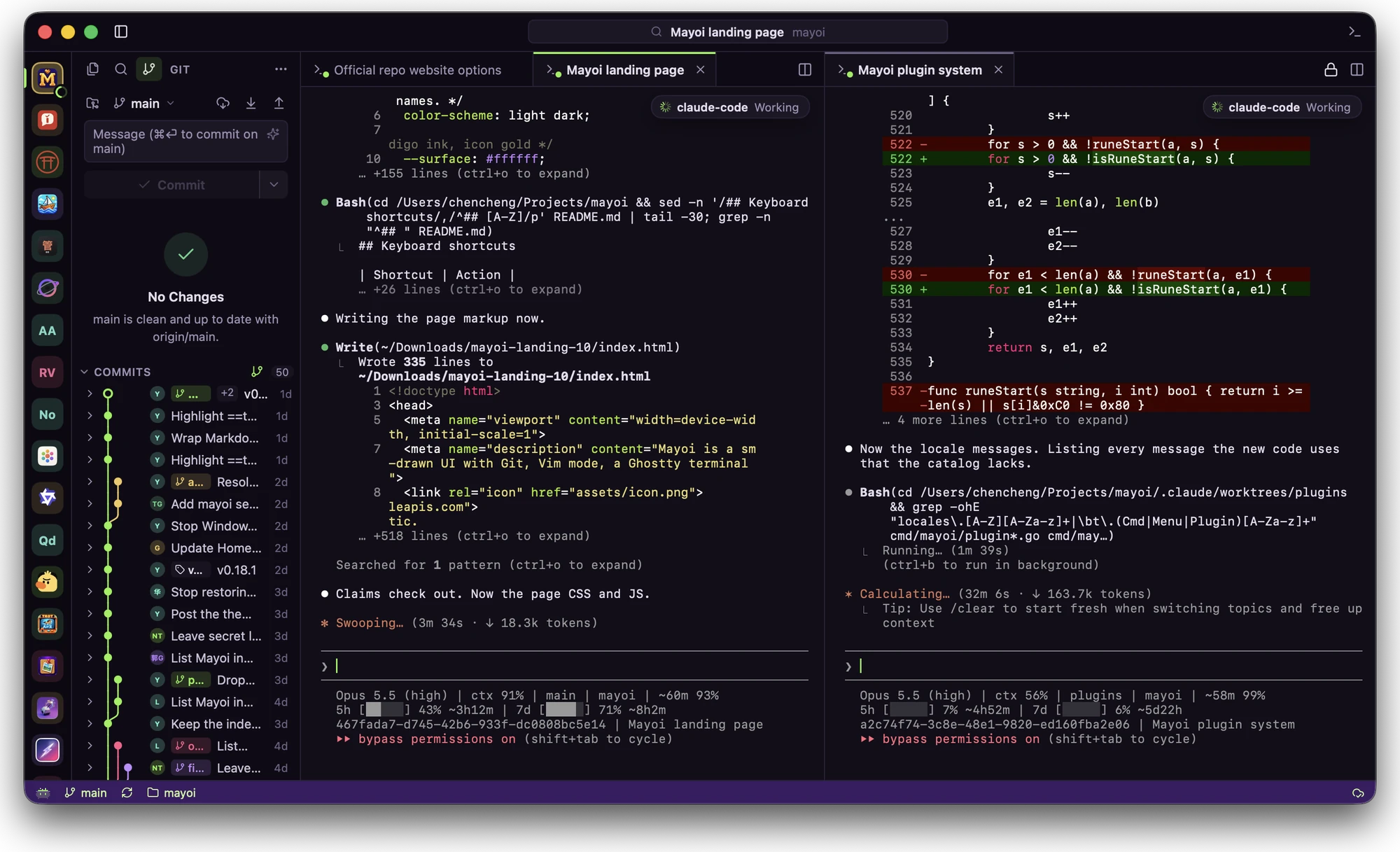
Mayoi with project tabs on a rail, the Git view and commit graph at the side, and Claude Code running in two terminal tabs side by side
Projects on the rail, Git at the side, Claude Code in two terminal tabs

measured, not claimed

Opens a 100,000-line file in about 20 ms.

Mayoi paints its own UI with MyGo, straight to the GPU. There's no browser engine to start and no DOM to diff, so the whole app ships in one small binary and a keystroke costs less than a frame.

Figures from Mayoi's own tests on an M-series Mac. See ARCHITECTURE.md.

Mayoi performance figures
What it doesTime
Open a 100,000-line file~20 ms
Scroll or type, per frame< 2 ms
Scroll or type with find open~3 ms
Re-highlight a 6,000-line file after a key< 1 ms
Quick open across 100,000 paths~1.5 ms
Diff a few edits in a 100,000-line file~0.25 ms
Packaged app size~18 MB

Features

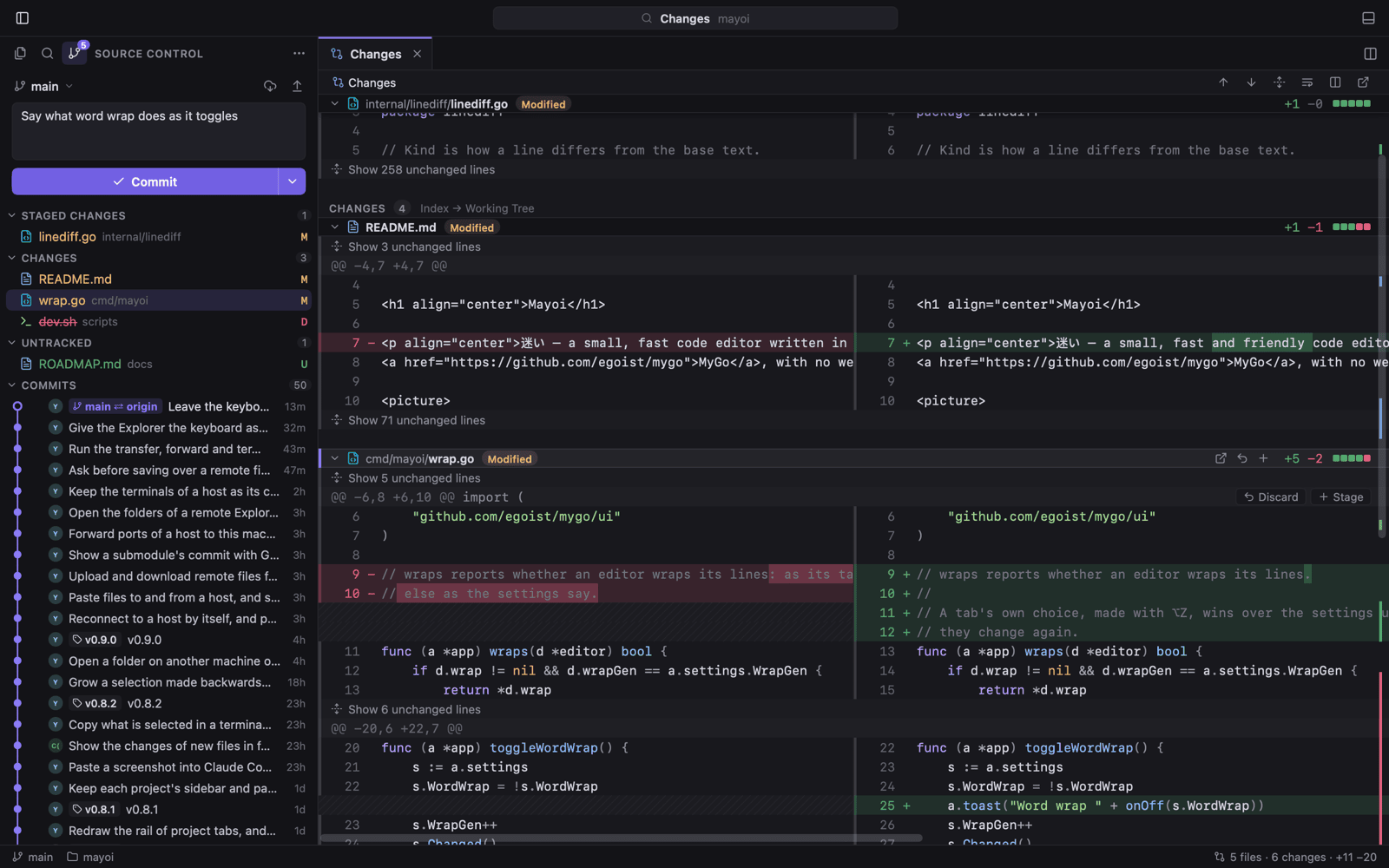
Source control view with staged and unstaged files, a commit list, and a side-by-side diff with changed words tinted

Git that shows you the whole change.

Stage, commit, amend, undo, pull and push from one view. Every changed file sits in a single diff tab, folded around the edits, inline or side by side.

  • Click a gutter mark to peek the line at HEAD, then revert or stage it
  • A commit graph with branches, tags and merges
  • Blame for the line your caret rests on
  • Commit messages written by AI, with secrets left out of the diff
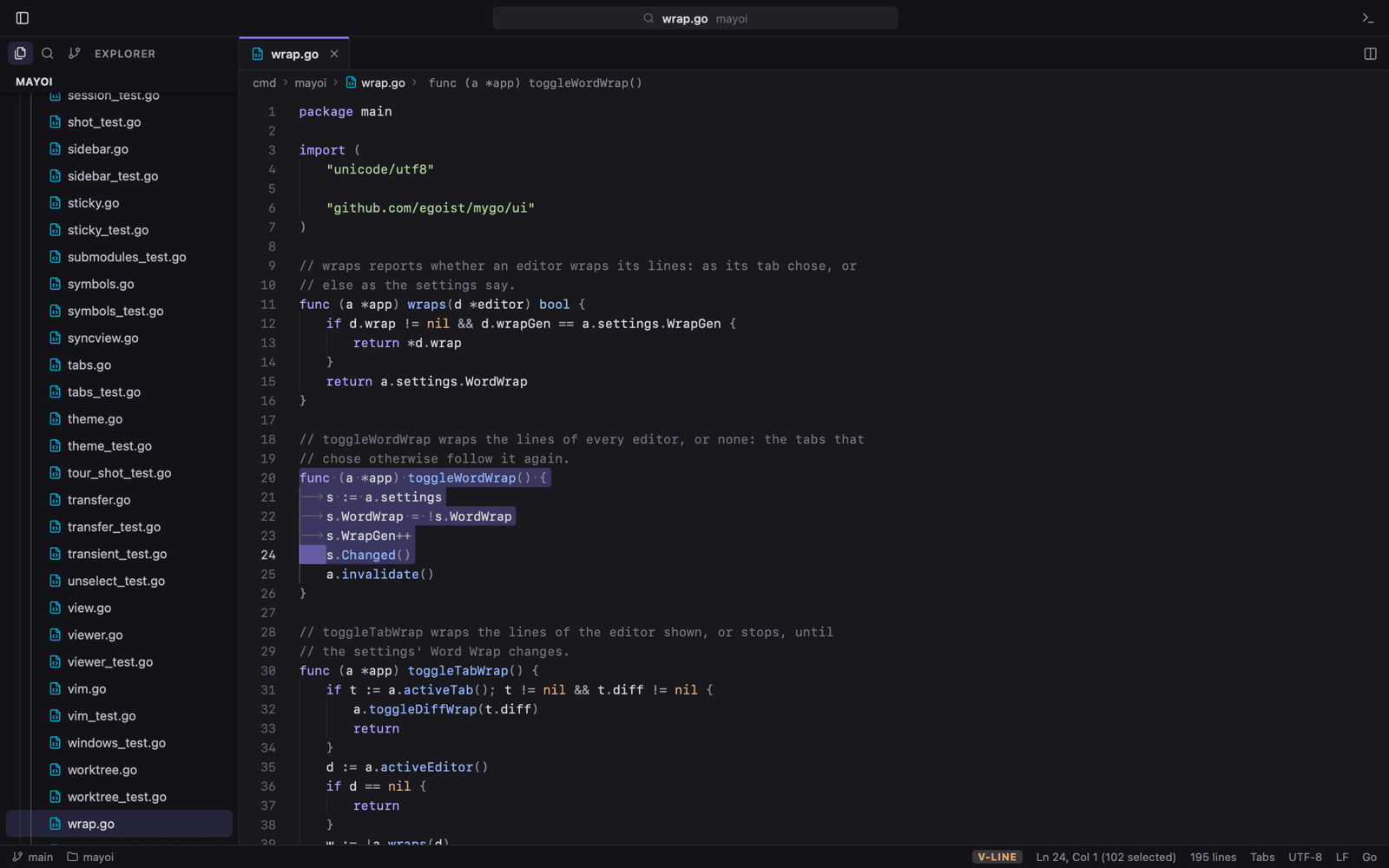
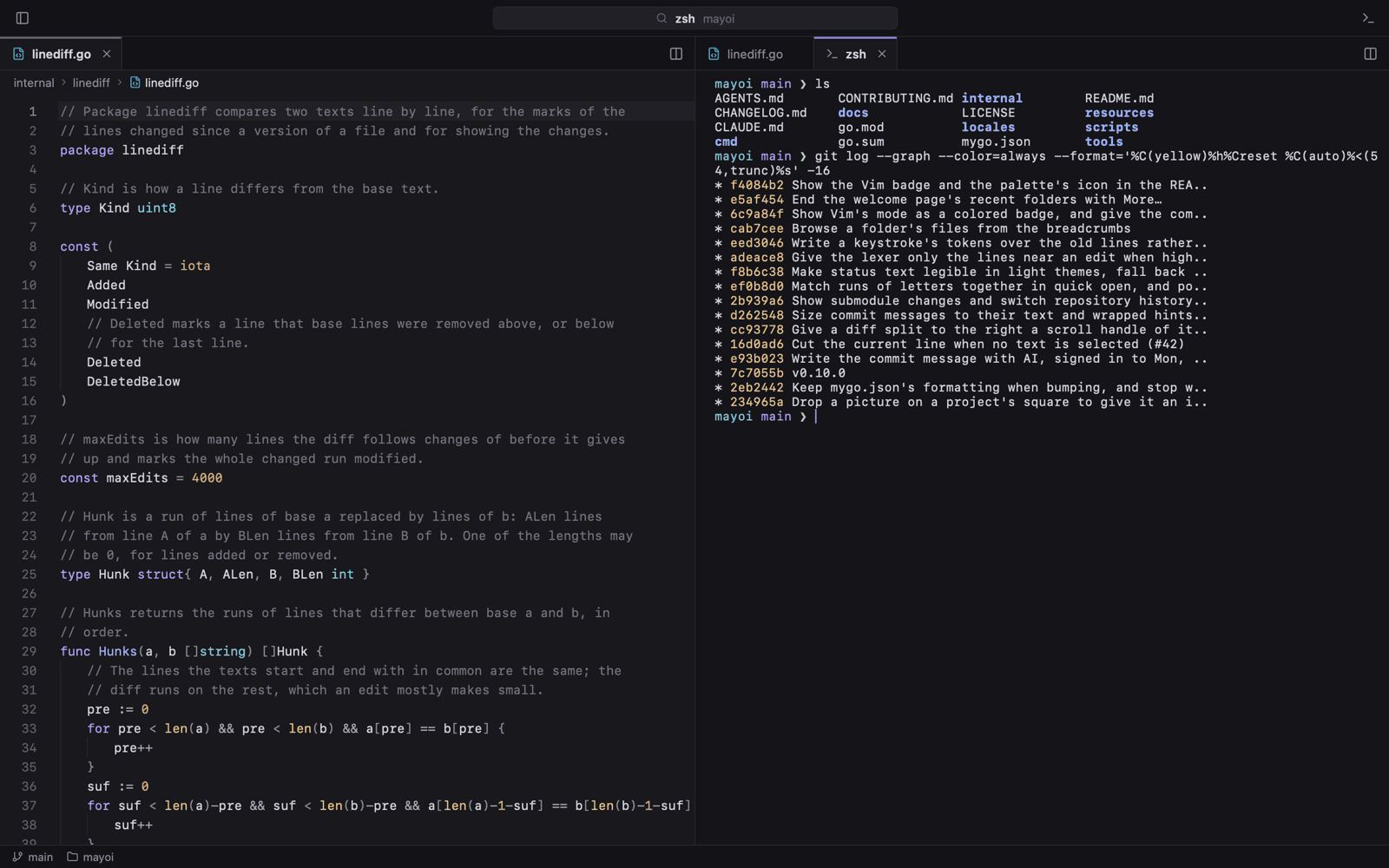
Several lines of Go selected in Vim visual mode, with the mode shown in the status bar

A Vim mode that knows about . and macros.

Normal, insert and visual modes with the parts you actually reach for, not a list of keybindings pretending to be Vim.

  • Motions, operators, text objects and counts
  • Registers, macros, marks and search
  • :s, :g and :normal on the command line
A terminal running in an editor column beside Go source

Ghostty's terminal, wherever you want it.

The emulator is libghostty-vt, so colors, Unicode and full-screen programs behave. Put it in the bottom panel, at a side of the window, or in a tab next to your code.

  • ⌃` toggles the panel, ⌃⇧` opens a new terminal
  • Rename a terminal and it keeps the name
  • Colors follow the editor's theme
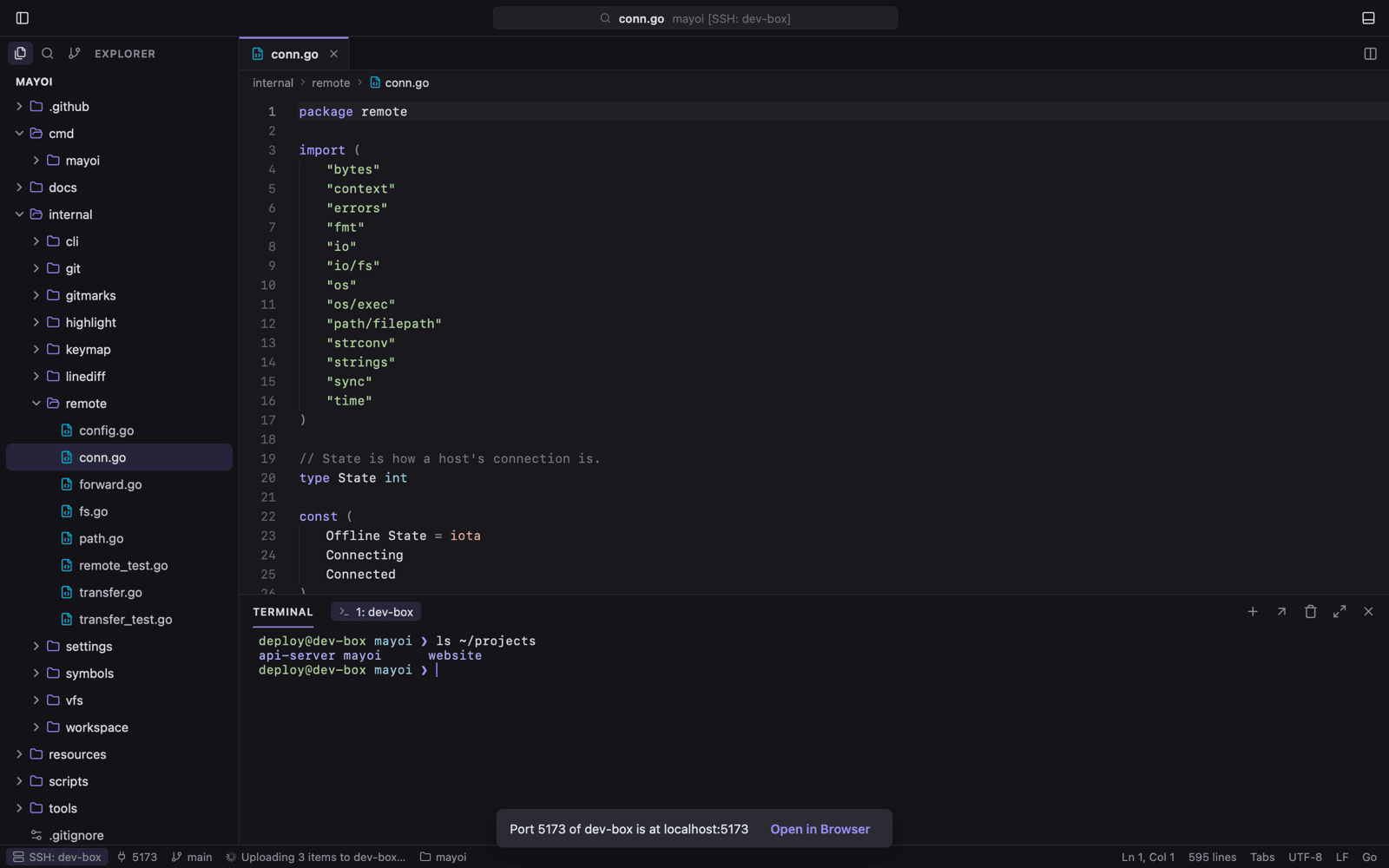
A Mayoi window with a folder open on an SSH host, its Explorer and terminal running remotely

Open a folder on another machine. Install nothing there.

Remote SSH uses the ssh already on your system. The Explorer, search, Git and terminals run on the host, and its ports forward to this machine.

  • Reads your ~/.ssh/config, with a button to edit it
  • Reconnects to a host by itself
  • mayoi --remote host:/path from any shell

And the things you'd expect.

The parts of an editor you use a hundred times a day, each with the shortcut you already know.

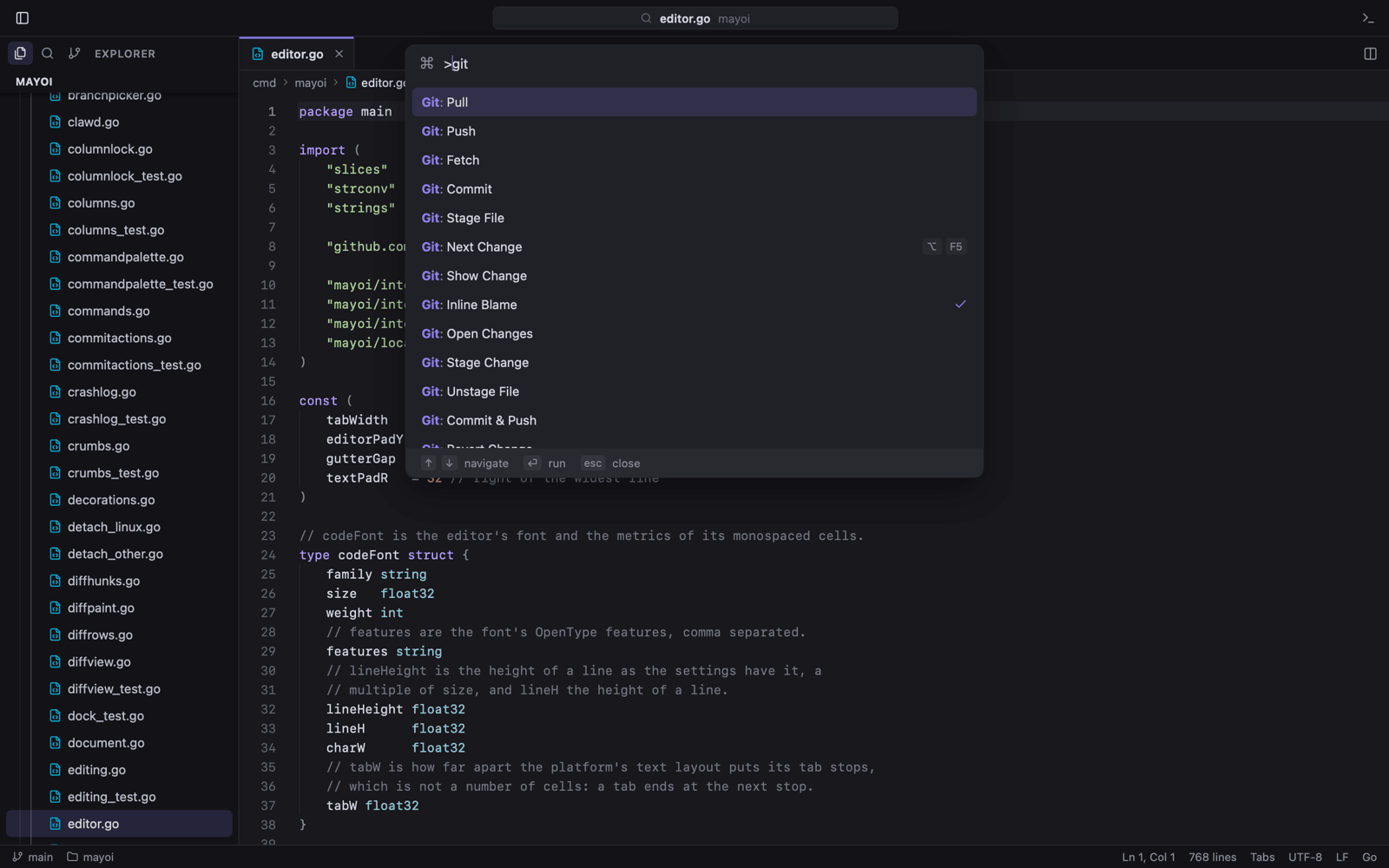
The command palette listing commands by name with their shortcuts
Quick open
Fuzzy file search, :42 for a line, @ for a symbol, > for commands
⌘P
Find in files
Case, whole-word and regex, with a preview of each replacement
⇧⌘F
Previews
Markdown, SVG and Mermaid live beside the source, with LaTeX math
⇧⌘V
Columns
Split the editor and drag tabs between columns
⌘\
Project tabs
Every folder in one window, on a rail, or a window per folder
⌃⌘1…9
Open recent
Folders and SSH hosts, and every window reopened as you left it
⌃R
Settings
JSON applied as you save, VS Code keybindings, and a folder's own .mayoi/settings.json
⌘,
Settings sync
Sign in with GitHub or Google and your setup follows you

Your shell can drive it.

The mayoi command opens files at a line, compares two files, waits for a file to close, and runs any command by the name keybindings.json gives it.

Homebrew installs it with the app. With the DMG, choose File → Install 'mayoi' Command.

# open this folder
$ mayoi .
# jump to a line and column
$ mayoi -g main.go:42:7
# compare two files
$ mayoi -d old.txt new.txt
# use it for commit messages
$ git config core.editor "mayoi -w"
# run commands in the open window
$ mayoi run view.terminal git.pull

Themes with a little character.

Pick one and the window beside it changes, in the colors Mayoi itself paints. The Matrix and Claude draw the whole window in the code's font.

Mayoi · dark

Install Mayoi.

It checks for updates by itself. Pick your system.

macOS 13 or later, Apple Silicon or Intel. With Homebrew:

brew tap --custom-remote sorrycc/mayoi https://github.com/sorrycc/Mayoi.git
brew trust sorrycc/mayoi
brew install --cask mayoi

Or download the DMG from Releases and drag Mayoi to Applications.

Lose less time to your editor.

means hesitation. Mayoi is meant to have none.